
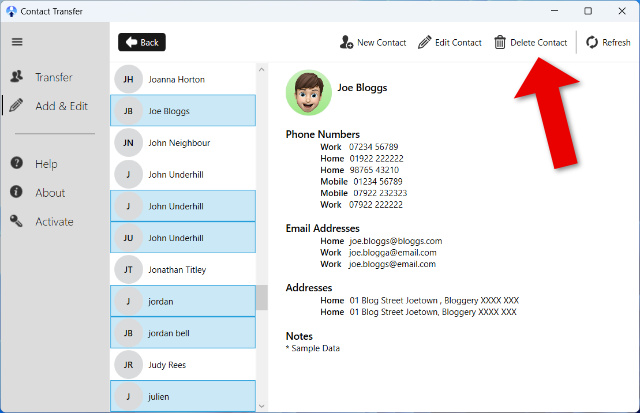
One of the easiest ways to manage and delete several contacts at once is by using the Contact Transfer app on a Windows PC. After installing the app, you connect your iPhone via USB, select multiple contacts using Ctrl or Ctrl+A, and delete them with a click. All changes are made locally on your computer, ensuring your data stays private.
If you prefer to do it directly on your iPhone, check out our support article below for details:
How to Delete Multiple Contacts on iPhone