Discover the best ways to transfer videos from your iPhone to your PC, whether they are videos taken with your iPhone camera or videos that you have received. Check out the article below:
How to Transfer Videos from iPhone to PC
Extra: Transfer music videos from iPhone to computer with TouchCopy 16
As seen in our guide above, TouchCopy is an invaluable tool for transferring your iPhone content to your computer.
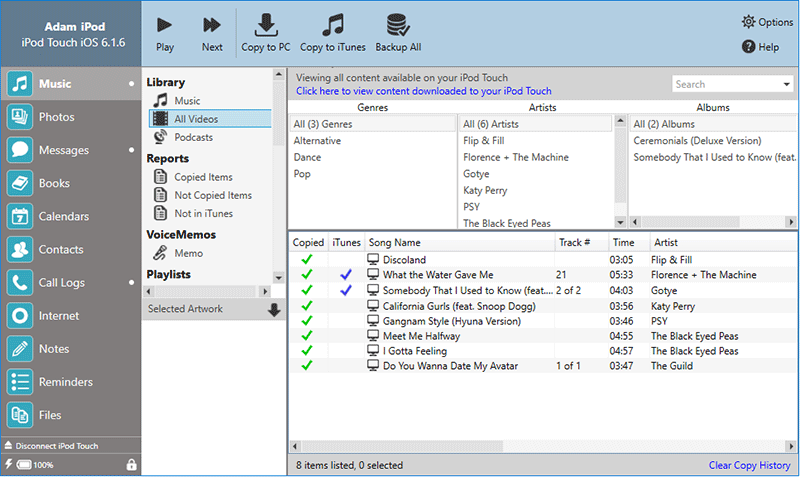
If you purchased the older version, TouchCopy 16, you can also access and copy music videos from your iPod/iPhone/iPad to your computer. Here's how...
- Launch TouchCopy 16 on your computer.
- Connect your iPhone to your computer via a USB cable or Wi-Fi.
- To find your music videos, go to the Music section, then click the "All Videos" header.
- You can now select the music videos that you want to copy, then use either "Copy to PC", "Copy to Mac" or "Copy to iTunes".